Skip to content

Your rental business,
digital and at hand.

Rent4Pro manages contracts, vehicles and your drivers’ history in one place instead of folders. Your customer receives the documents by email, and even without a network you keep creating contracts as usual.

All features, no payment details. Then cancel monthly. For iOS, Android and in the browser. Activation usually within one business day.

app.rent4pro.com/fleet

Fleet

12 vehicles

7

Rented

4

Available

1

Overdue

4210Mercedes SprinterB-RT 4210 · back Fri, 2:00 pmRented
8842Fiat DucatoB-RT 8842 · in the yardAvailable
1176VW TransporterB-RT 1176 · for 2 daysOverdue
3390Ford TransitB-RT 3390 · back Mon, 9:00 amRented
5027Renault MasterB-RT 5027 · inspection in 3 weeksAvailable
6604Opel MovanoB-RT 6604 · back Thu, 5:30 pmRented

+ 6 more

At the office, in the browser

HandoverStep 3/4

Mercedes Sprinter

B-RT 4210 · 84,120 km

Damages

Scratch, rear right door

2 photos · 8:14 am

Renter signature

Landlord signature on file
Complete contract

PDF goes to both sides

At the vehicle, on the phone

Explained in 50 seconds.

What Rent4Pro changes in the day-to-day of a car rental business, from contract to return.

What is Rent4Pro?

Rent4Pro is software for car rental businesses. It replaces paper contracts, spreadsheets and photo folders with an app for phone and tablet and a version in the browser. Both use the same data.

  • The app at the vehicle

    On phone and tablet, for iOS and Android. Create the contract, scan ID and driving licence, record damage with photos, collect the signature. Works offline too.

  • The web version in your browser

    Use it on a computer or tablet without installing anything. You see your fleet, contracts, drivers, damages and invoices there, with the same data as in the app.

  • Documents for your customer

    Contract, handover report, invoice and receipt go to your customer by email as PDFs. They pay in cash, by bank transfer or through a payment link.

EU
Servers exclusively in the EU
0 %
commission on payments, money goes straight to your Stripe account
15 days
free trial, no payment details
Monthly
cancellation, no minimum term

Who is it for?

For businesses that rent out vehicles themselves and still handle contracts and handovers by hand: sports and luxury car rental, van rental, small and medium-sized rental companies.

What rental businesses say.

25+businesses

“Takes a lot of work off my plate, thank you. Good app, very satisfied.”

Rent4Pro customer

“The contract reaches the customer directly, the app works very well.”

Rent4Pro customer

“Top service, respect.”

Rent4Pro customer

Translated from German.

Your entire rental business in one place.

All documents digital. No more folders.

Everything that arises in a rental is stored by Rent4Pro with the case. Find it by plate, name or period, even years later.

  • Rental contract
  • Handover protocol
  • Return protocol
  • Receipt
  • Invoice
  • ID
  • Driving licence
  • Damage photos
  • Signatures

The driver history is part of it: for every driver you see all previous rentals and check, before renting, who you entrust your vehicle to.
Works without internet

If the network drops, you still complete the contract. The app syncs everything as soon as a connection is back.

Your whole fleet at a glance

Every vehicle with status, driver and return date in one list. Upcoming inspection dates are highlighted.

Documents reach the customer instantly

Contract, handover protocol and receipt go automatically as a PDF to your customer and to you.

From handover to return.

Four steps, all on your phone.

  1. Choose customer and vehicle

    Pick existing customers from the list. Add new ones by photographing their ID and driving licence; the app reads the data. If a driving licence has expired, Rent4Pro does not allow a contract.

  2. Terms and handover

    You enter period, price and deposit. Payment is by cash, bank transfer or online through a payment link. Then you go through the vehicle with the customer and record damages with photos.

  3. Signature

    Both parties sign on the display. Contract and handover protocol go by email as a PDF to your customer and to you as soon as the device is online.

  4. Return and settlement

    Rent4Pro compares the condition with the handover and calculates extra kilometres and new damages. You charge the deposit in full or in part, or release it. An open balance goes to the customer as a payment link.

What is created automatically

At signing

Rental contract

Your clauses

Handover protocol

Condition & photos

Receipt*

Payment & deposit

Invoice*

consecutive number

Days later

At return

Return protocol

Extra km & final amount

Every document goes to you and the renter as a PDF and is stored with the contract in the cloud. Nothing is printed, nothing is filled in afterwards. * Receipt and invoice can be switched off per contract.

5 documents → 1 case

All documents belong to the contract, the contract to the vehicle and the driver. Search by plate, name or period and you find the whole case, today as in two years. The administrative effort drops from about twenty minutes to two.

Your rental business, clearly organised.

Dashboard, fleet, vehicles and contracts at a glance.

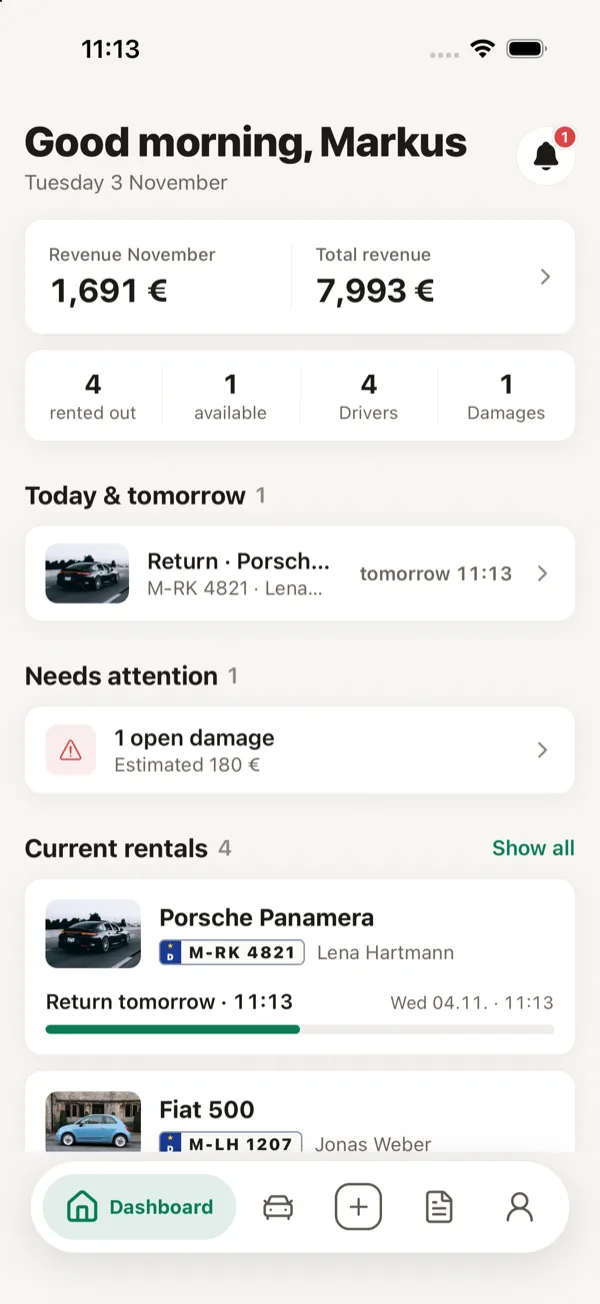
  • Rent4Pro app: dashboard with revenue, upcoming returns and current rentals

    Dashboard

    Returns, open damages and current rentals at a glance.

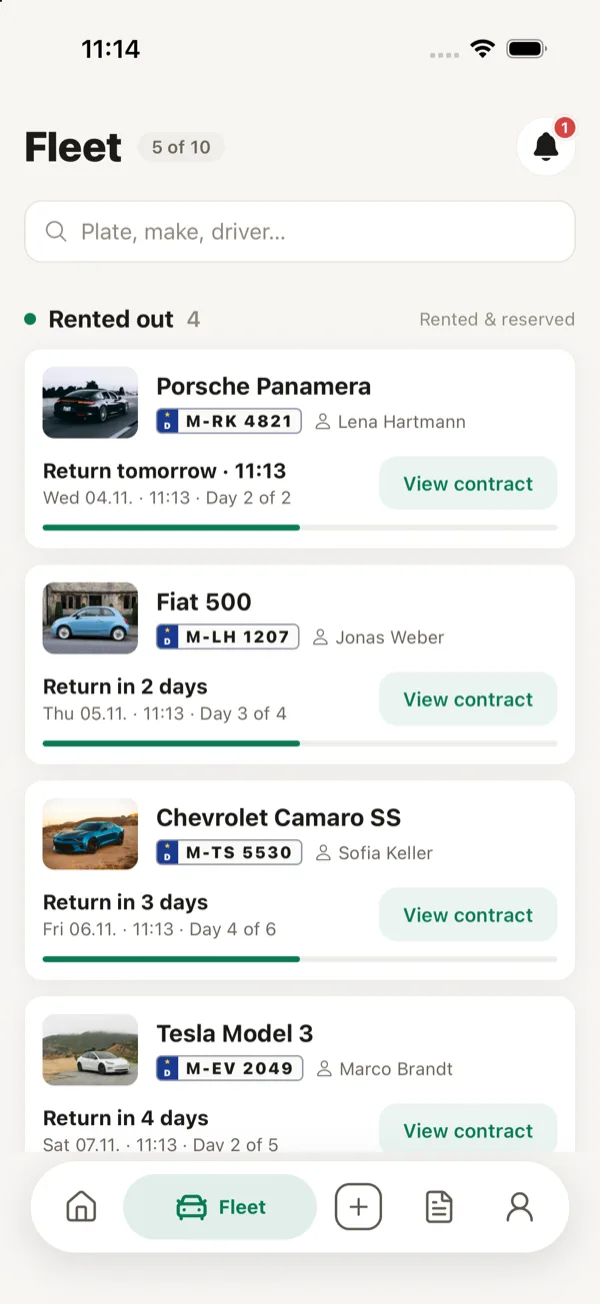
  • Rent4Pro app: fleet overview with rented vehicles, drivers and return time

    Fleet

    Which vehicle is with whom and when it comes back.

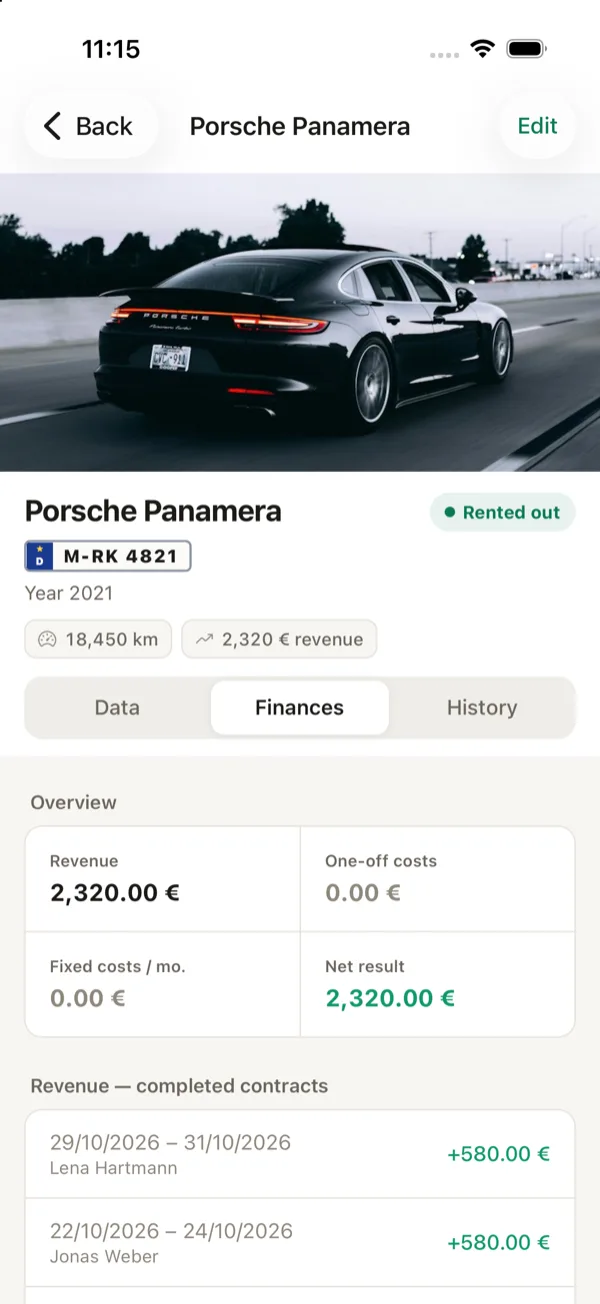
  • Rent4Pro app: vehicle details with finances, revenue and completed contracts

    Vehicle

    Mileage, revenue and costs for each vehicle.

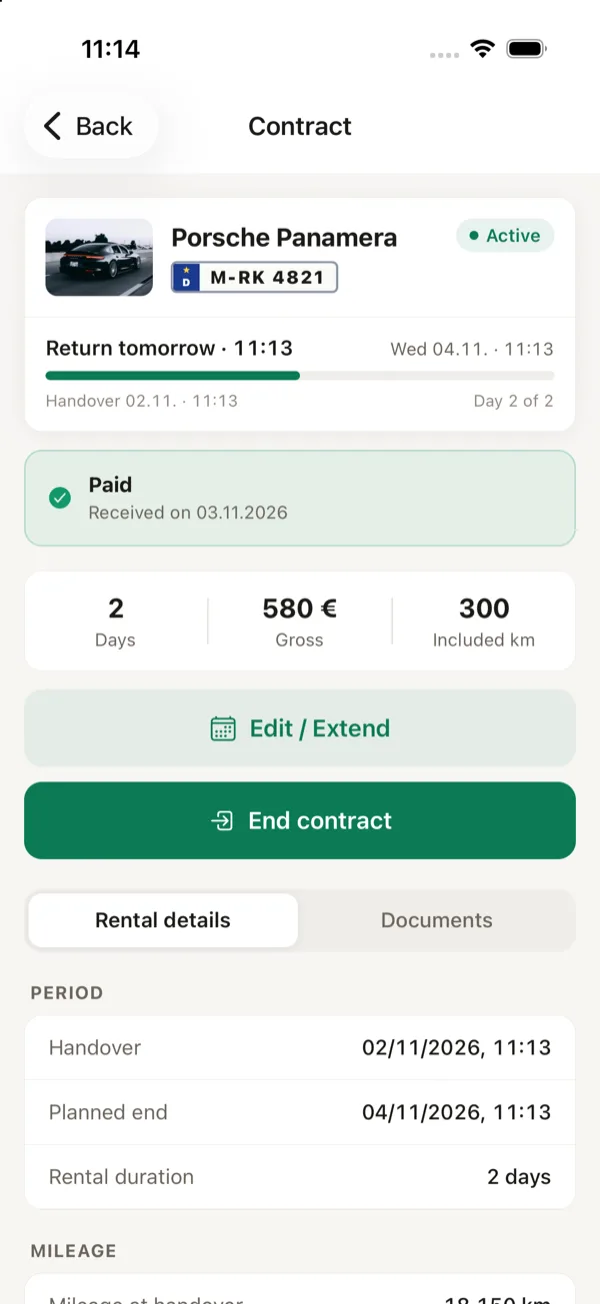
  • Rent4Pro app: rental contract with term, payment status and key figures

    Rental contract

    Status, payment and documents for every contract.

Sample data.

Everything your rental business needs.

Handover and return

  • Document damage with photos

    You tap the spot on the vehicle diagram and add a photo, even without a network.

  • Return with settlement

    Rent4Pro compares the condition with the handover and calculates new damages and extra kilometres.

  • Extend without a new contract

    Extend the rental, add additional drivers, calculate the surcharge. On changes the renter signs the new version.

Payment

  • Payment by link

    The payment link goes to the customer by email, WhatsApp or SMS. The money lands directly in your Stripe account, with no commission from Rent4Pro.

  • Reserve the deposit

    The deposit is only reserved. After the return you charge it in full or in part; Rent4Pro releases the rest.

  • Invoice and receipt

    Both are created from the contract data, with your invoice number format.

Drivers and contracts

  • Capture ID and driving licence

    The app reads name, number, class and expiry date from the photo. Recognition runs on your phone; the photo is not uploaded for it.

  • Expiry warning

    A warning appears 90 days before expiry. A contract cannot be concluded with an expired driving licence.

  • Your own contract clauses

    You adopt your contract text and adjust clauses per vehicle. Values such as the excess are filled in automatically by Rent4Pro.

On the phone and at the office

  • The same data everywhere

    App and browser show the same state. On the big screen you create contracts, write invoices and check the fleet.

  • Your own return checklist

    You reorder items by drag and drop, delete them or add your own. The checklist applies to every return.

  • Reports

    Income, costs and profit per vehicle, calculated from your contracts. No separate spreadsheet needed.

What you can rely on

  • Customer data stays protected

    Scanning runs only on your phone; photos of ID and driving licence are not stored. Only the number and validity are stored, visible only to your business.

  • Servers only in the EU

    Your data does not leave the EU. You receive a data processing agreement on request.

  • Cancel monthly

    There is no minimum term. You cancel at any time to the end of the month, informally by email.

Switching takes about 50 minutes.

You need neither a project nor a consultant. We go through your vehicle list together on a call.

20 min

The setup call

We adopt your rental contract, your checklist and your invoice number format, so you work with your own documents from the start.

30 min

Add vehicles

You need plate, model, mileage, prices and inspection date. This is the only input effort at the start; on request we do it together with you on the call.

0 min

Add customers

Not needed. A customer is created with the first contract by scanning their driving licence. Next time you just pick them from the list.

50 min

Then your first contract runs through Rent4Pro, with your contract text and on your phone.

The 50 minutes are your own working time. On top comes the wait until our call, usually one business day after registration.

At the vehicle you use the app, at the office you open the same data in the browser. There is nothing to transfer and no second data set.

One fixed rate per vehicle.

Cancel monthly, no minimum term. All features and setup are included.

€4.99 base fee plus €9.99 per vehicle per month

Final prices, no VAT charged (small-business exemption, § 19 UStG).

Example per month

  • 3 vehicles

    €34.96

    €4.99 + 3 × €9.99

  • 5 vehicles

    €54.94

    €4.99 + 5 × €9.99

  • 10 vehicles

    €104.89

    €4.99 + 10 × €9.99

Frequently asked questions.

Move your rental business to digital now.

Registration takes a minute. We call you usually within one business day and set up Rent4Pro with you for your fleet. Then you test for 15 days free of charge, without any payment details.

15 days free, all features included, then cancel monthly.

Try free for 15 days

All features, setup included

Start